
For years, automation has helped print, sign and LFP companies work faster, reduce errors and align processes more effectively. However, there has often been one clear condition: the input had to be structured. Anyone building workflows had to rely on fixed file formats, API integrations or other strictly defined sources. In practice, much of that information does not arrive in a structured format at all, it comes through emails, notes, confirmations or free-text instructions.
With FlowmAIte, Dataline brings artificial intelligence to the point where traditional automation often reaches its limits. This smart AI connector within MultiPress helps you interpret unstructured information, convert it into usable data and automatically feed it into your familiar workflow.
Why is FlowmAIte relevant?
Print, sign and LFP companies process information from a wide range of sources every day. Yet that information rarely arrives in a neatly structured format, or in a uniform way across different ordering platforms: job specifications may be buried in an email, delivery instructions added in a note, and supplier confirmations sent in a different format every time. Employees have to read, interpret, process and check all of that information manually. This not only creates extra work, but also leads to delays, misunderstandings and a greater risk of errors.
FlowmAIte solves this by automatically interpreting unstructured input and converting it into concrete actions within MultiPress. As a result, information that previously fell outside the scope of automation suddenly becomes fully usable within your workflow.
How does FlowmAIte work?
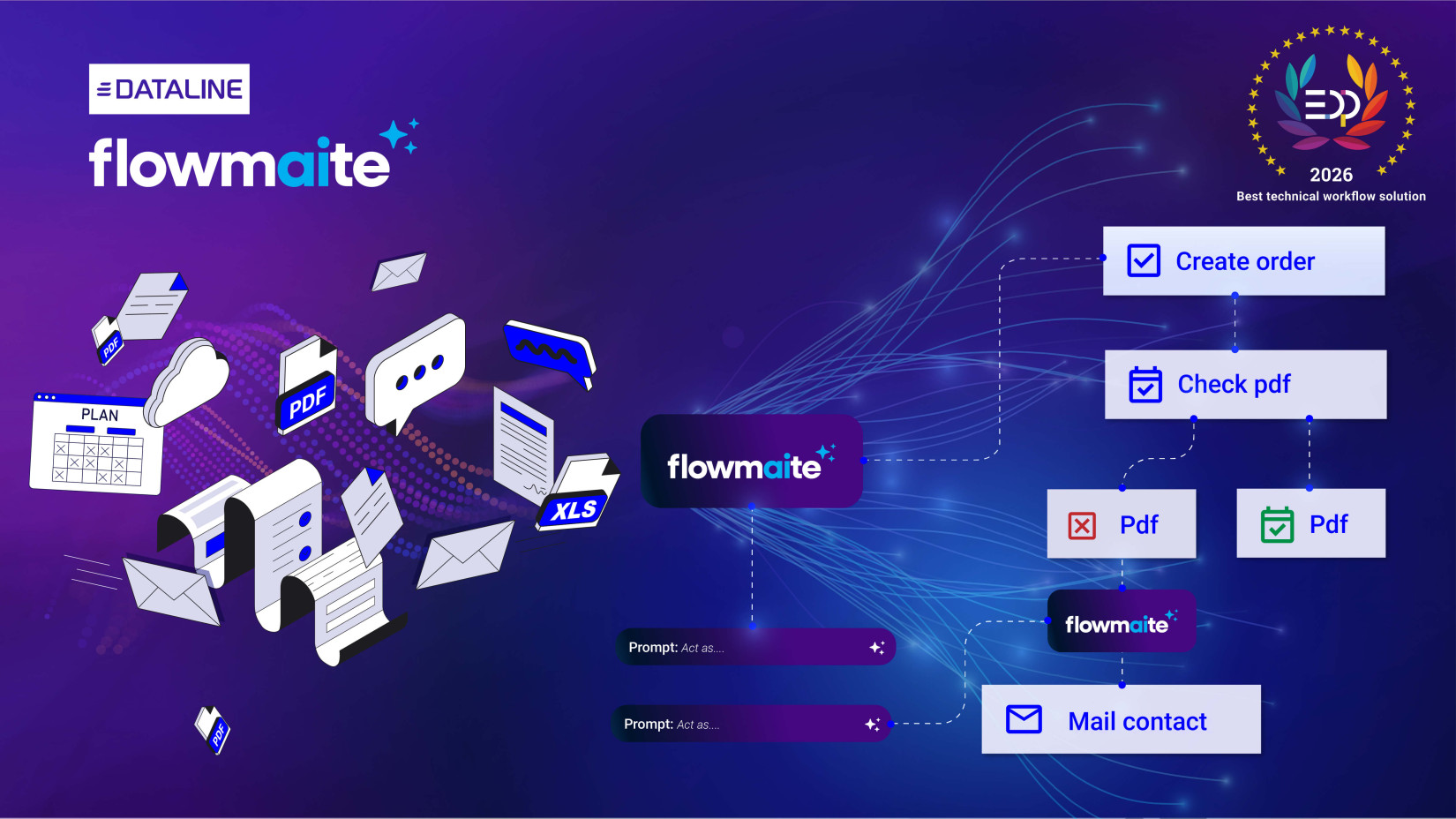
FlowmAIte is an AI connector within MultiFlow, the low-code automation platform in MultiPress. You can easily add the FlowmAIte component to an existing or new flow, connect it to an input source and describe in plain language what the artificial intelligence should do with that input. This can be as simple or as complex as you need it to be.
The AI processes the input and converts the relevant information into structured output for the next step in the workflow. What that step is depends entirely on your process. It could involve creating an order, updating a status, sending a notification or initiating an approval process.
Applying artificial intelligence within MultiFlow
The added value of FlowmAIte lies not only in the technology itself, but above all in the way it has been integrated. With MultiFlow, Dataline has already created a powerful environment in which users can visually build and manage automation within MultiPress.
FlowmAIte now adds an intelligent layer on top of that. Instead of working only with tightly defined inputs, you can now use AI as a native building block in your flows. This turns every data stream into a potential trigger for automation, even when that input is available only in an unstructured form.
Using FlowmAIte with prompts in plain language
One of FlowmAIte’s strongest features is the way you build the logic. Instead of designing complex technical configurations, you simply write in plain language what the AI should do with the input provided.
Because the component is reusable, you can apply the same logic in multiple places. This allows you to build standardised flows more quickly, even when customers or suppliers each use their own style, language or wording.
Automate intelligently, without forcing your processes
Automation works best when it adapts to the reality of your business, not the other way round. That is exactly where FlowmAIte makes the difference. While traditional automation often starts from fixed input, FlowmAIte interprets information as it actually arrives today. This means you no longer have to force your processes into a rigid framework in order to automate them.
Where FlowmAIte makes a difference in practice:
- A customer sends production details by email in free text. FlowmAIte recognises the job specifications and automatically creates an order in MultiPress.
- An account manager adds delivery instructions to a file. FlowmAIte assigns the correct delivery parameters and immediately updates the planning.
- You receive paper order confirmations from different suppliers. FlowmAIte processes that information and updates the inventory module.
- The prepress department receives comments about colour, trim lines or bleed. FlowmAIte automatically converts them into production instructions at job level.
What are the benefits for your company?
The impact of FlowmAIte quickly becomes noticeable in your day-to-day operations. Where unstructured input previously had to be processed manually, it can now be integrated automatically into your existing workflows.
- Fewer barriers to automation
Where structured input used to be a requirement, a well-written prompt is now enough. This makes automation accessible to many more processes.
- Lower risk of errors
FlowmAIte takes over a large part of the manual reading, interpretation and processing work. This reduces the risk of misunderstandings, missed details and incorrect processing.
- Faster turnaround times
When information is automatically interpreted and forwarded to the correct next step, the time between input and action is significantly reduced. This saves a great deal of time.
- Better collaboration between departments
When information flows more quickly and consistently between sales, estimating, planning, production and administration, the internal workflow becomes smoother and more efficient.
- Automation tailored to your business
FlowmAIte adapts to the way you work, not the other way round. This allows you to build automation that fits your customers, employees and internal processes perfectly.
FlowmAIte makes automation more widely applicable
With FlowmAIte, you can extend automation to information that previously remained out of reach. You lower the technical barrier, improve your workflows and ensure that unstructured input also becomes a usable part of your process logic in MultiPress.
FlowmAIte will be available in MultiPress from May 2026.